Bridge with Superbridge
Superbridge is the standard bridge for moving funds to Soneium from Ethereum, Solana and the networks of the OP ecosystem, such as Base and OP Mainnet. Superbridge adds no fees of its own: on the native route, you only pay network gas.
This guide covers how the routes differ and how to deposit to Soneium.
How it works
Superbridge shows every route available for your transfer and lets you pick one. The Native bridge route uses Soneium's standard bridge. Other routes are run by third-party providers, such as Across or Relay, and are the way to reach Soneium from networks other than Ethereum.
| Native bridge | Third-party routes | |
|---|---|---|
| Networks | Ethereum ↔ Soneium | Base, OP and other networks ↔ Soneium |
| Assets | ETH and supported ERC-20 tokens | Depends on the provider |
| Deposit time | Usually a few minutes | Usually a few minutes |
| Fees | Network gas only | Network gas plus a provider fee |
Superbridge labels the native route No extra fees. On third-party routes, the provider fee is shown next to the route and on the review screen before you confirm.
Withdrawals from Soneium to Ethereum through the native bridge take about 7 days: each one is proven on Ethereum, waits out a challenge period, then is finalized. For faster withdrawals, use a third-party route.
You need a wallet with Soneium added, such as MetaMask (see Wallets), and gas on the network you send from.
Deposit to Soneium
The example below bridges USDT0 from OP Mainnet to USDC.e on Soneium through a third-party route. From Ethereum, the steps are the same: choose the Native bridge route in step 4.
-
Open Superbridge. Go to superbridge.app/soneium and connect your wallet.
-
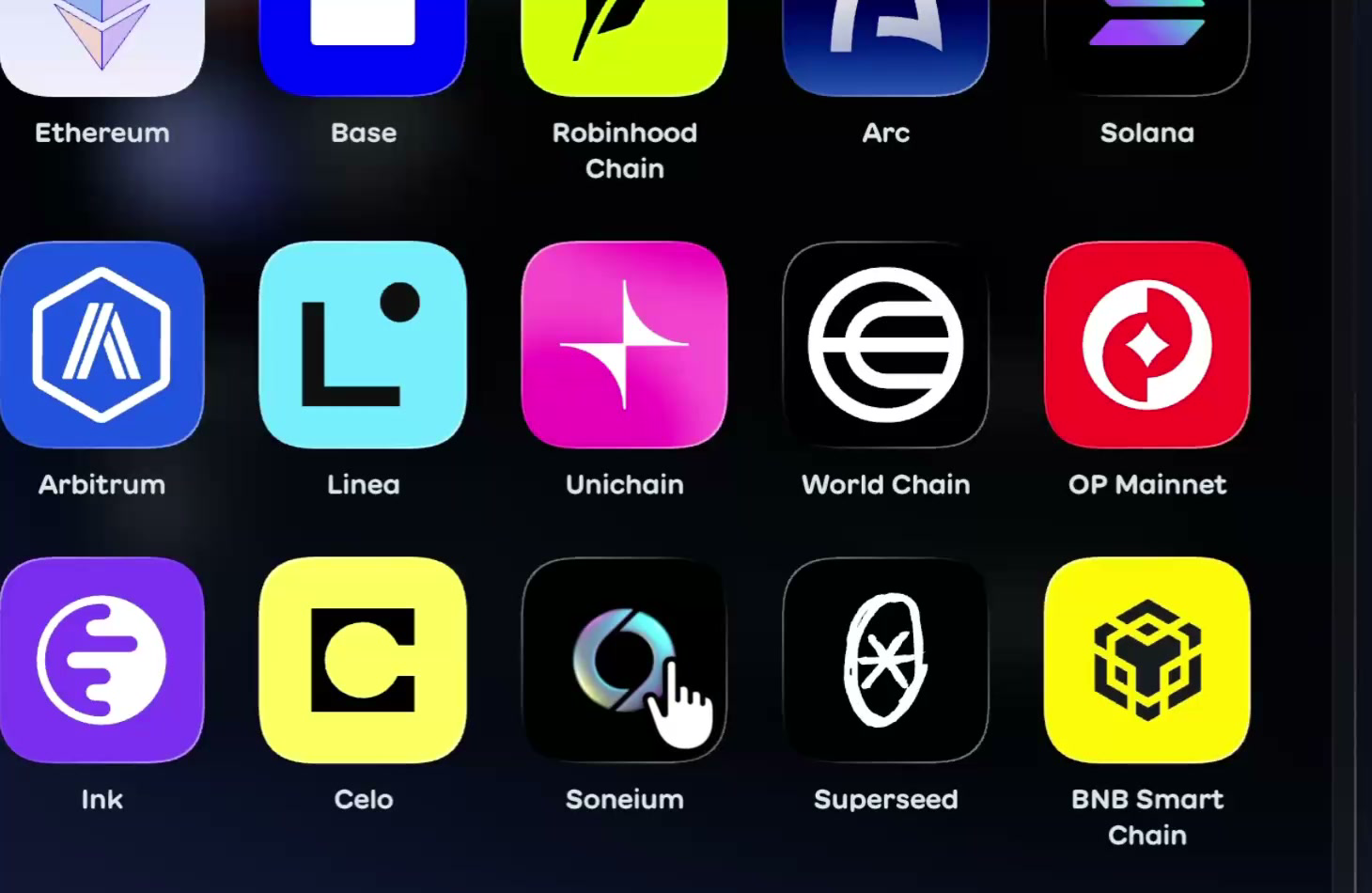
Set the direction. In the top selector, choose the network and token you are sending. In the bottom selector, choose Soneium and the token you want to receive. You can search tokens by name, symbol or contract address.
-
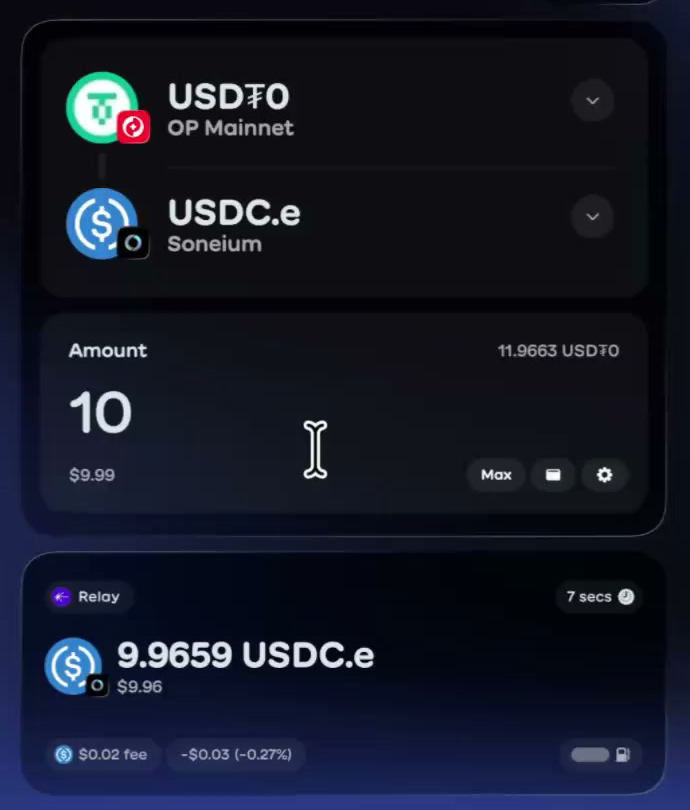
Enter the amount. Select Max to use your whole balance. If you see Insufficient funds, lower the amount slightly to leave room for gas.
-
Choose a route. Each route shows the amount you receive, the time and the fees. Select the route you want to use.
-
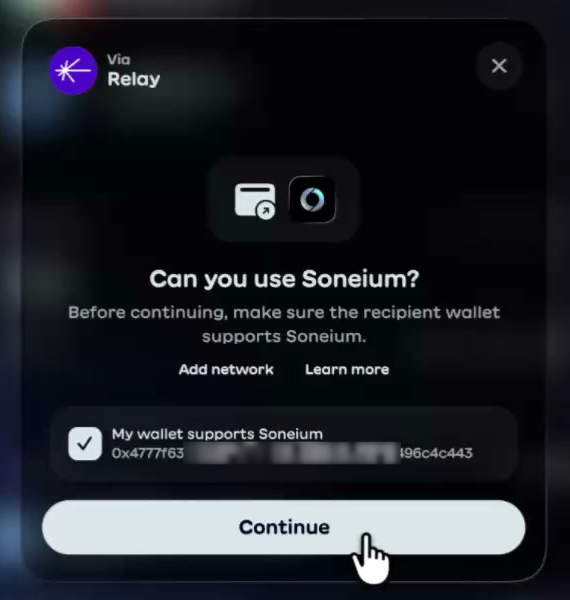
Confirm your wallet supports Soneium. Superbridge asks Can you use Soneium? Tick My wallet supports Soneium and select Continue. If your wallet doesn't have Soneium yet, select Add network first.
-
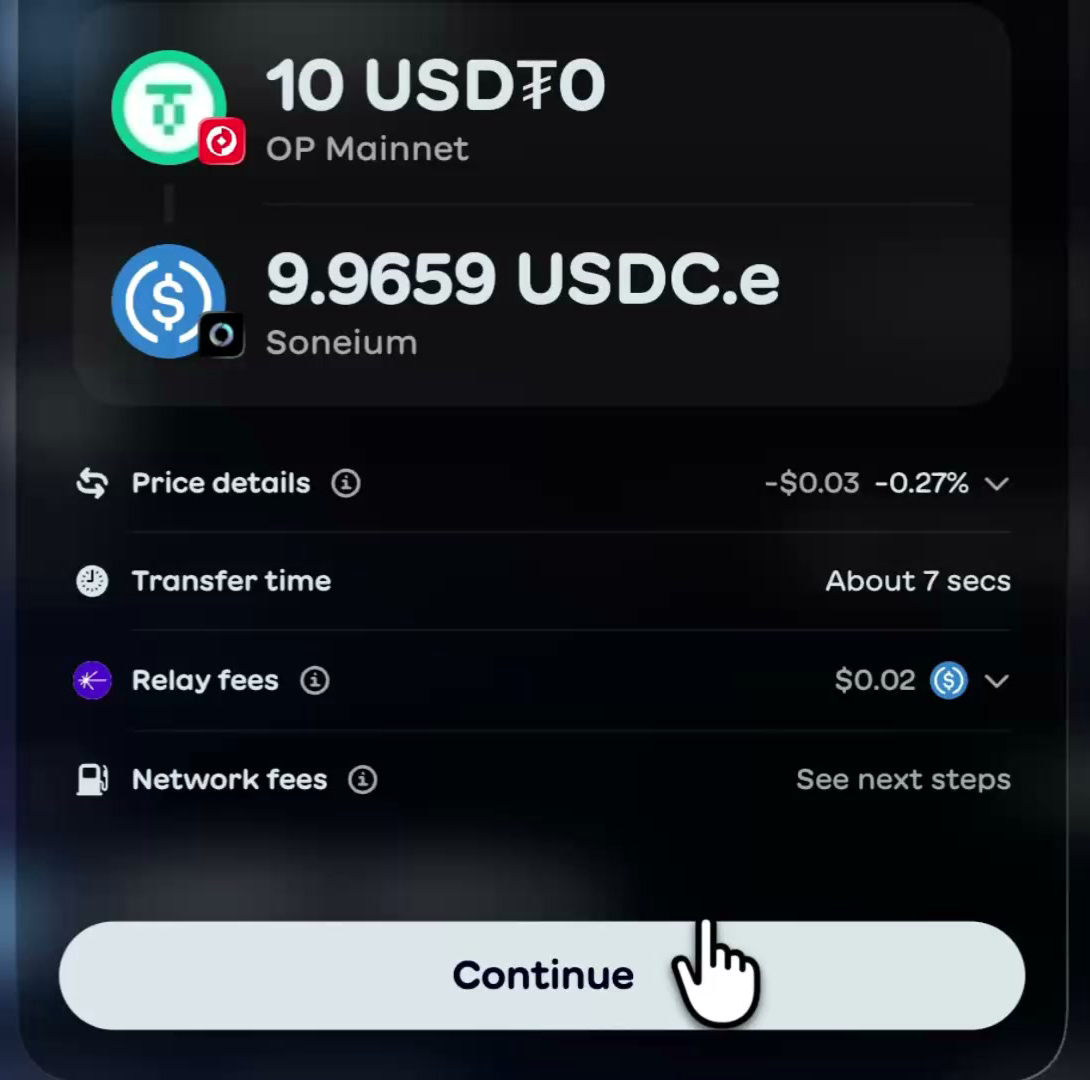
Review the transfer. The review screen lists the price details, transfer time, provider fees and network fees. Select Continue.
-
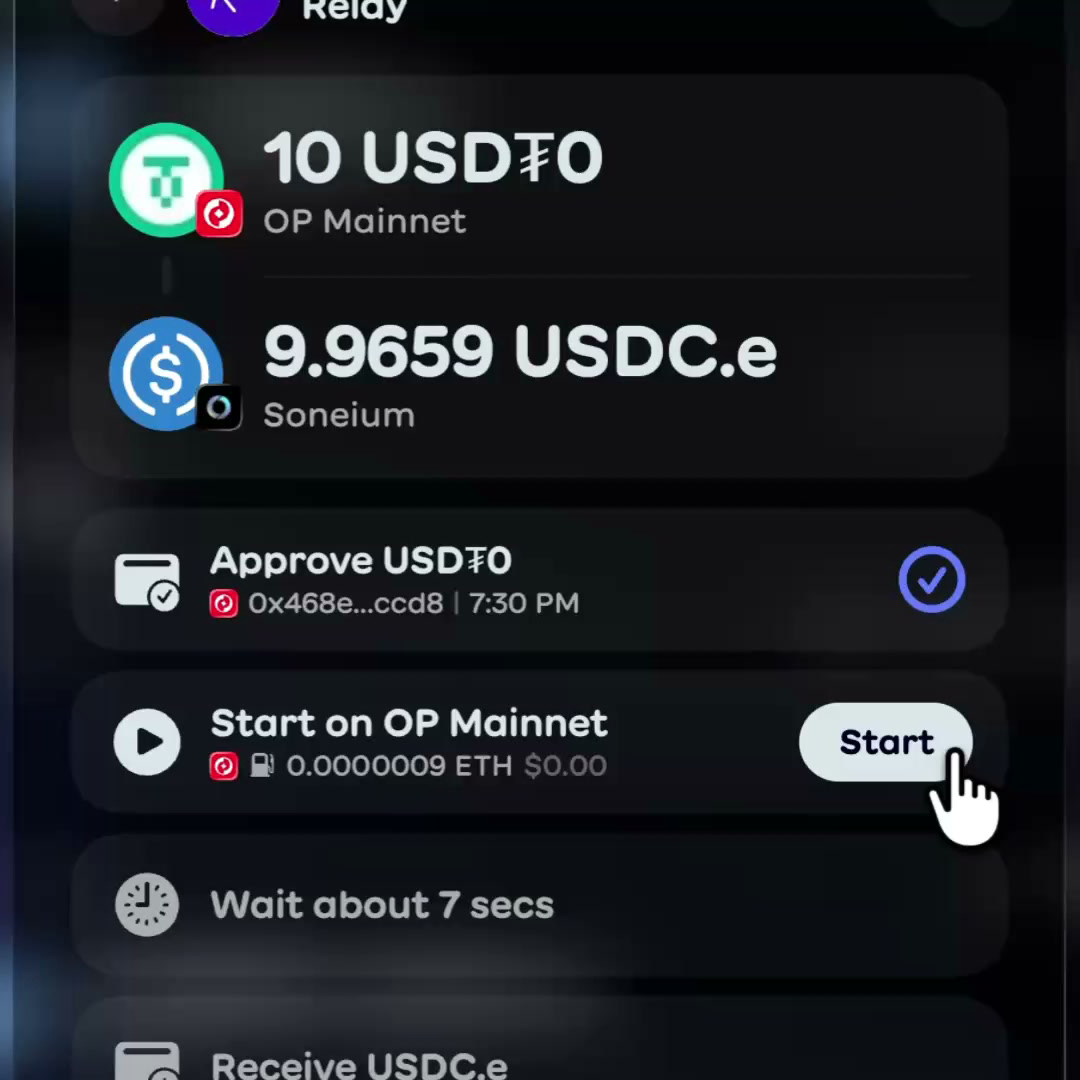
Approve and start. ERC-20 tokens need an approval first: select Approve and confirm in your wallet. Then select Start and confirm the transfer.
-
Track the transfer. The window shows the progress, and you can close it at any time: the transfer stays in Activity. Once it completes, select Done. Funds arrive at the same address on Soneium.
Watch the full deposit flow:
USDC on Soneium is the bridged USDC.e. If you search for USDC and Soneium does not show it, search for USDC.e.
Troubleshooting
- My deposit is taking longer than expected: Check Activity first, then search your transaction hash on Blockscout.
- I can't find USDC: USDC on Soneium is the bridged USDC.e. Search for USDC.e instead.
- Something else: Contact Superbridge support through live chat, with your wallet address and transaction hash. The Superbridge help center covers routes, fees and missing tokens in more depth.